
David Herron is a writer and software engineer focusing on the wise use of technology. He is especially interested in clean energy technologies like solar power, wind power, and electric cars. David worked for nearly 30 years in Silicon Valley on software ranging from electronic mail systems, to video streaming, to the Java programming language, and has published several books on Node.js programming and electric vehicles.
Books by David Herron
Node.js Web Development, now in its fifth edition, is, as the title implies, all about creating web applications in Node.js. The scope is the full lifecycle of application development, from setting up a development environment, familiarizing yourself with the Node.js platform, developing the concept for an application, implementing application code using Express and Bootstrap, storing data, real-time communication in the user interface, deployment to cloud hosting systems, and unit testing implementation.


This book focuses on deploying Docker containers to AWS Elastic Container Service (ECS). Terraform is an infrastructure as code tool, meaning we use it to describe infrastructure deployments on a variety of cloud platforms, including AWS. ECS is focused on deploying Docker containers.
In 2020, the Docker and AWS teams worked together on a new feature allowing direct deployment to ECS using Docker Compose. Compose files are relatively easy to implement, making it an attractive option when deploying services to AWS infrastructure. This book contains an extensive deep-dive into using these techniques.

This book focuses on correctly using the new asynchronous programming paradigm in Node.js. With ES-2015/2016, the Promise object became available, and later async functions and the await keyword. These features allow Node.js programmers to hugely clean up their code from the original paradigm of using callback functions for asynchronous operations.

This book focuses on using TypeScript on the Node.js platform. This is a new variant of JavaScript, which brings improved type checking, and a number of other features making TypeScript programming as close to what one gets with Java or C# while being as loosely typed as JavaScript. This means TypeScript threads a narrow path between strong and loose typing.

This book focuses on creating eBooks in the EPUB format, that can be sold through marketplaces like Kindle. The book is unfortunately out of date, and I intend to update it soon.

According to the stereotypes, electric car owners are stuck driving only around town. This book focuses on the reality, that with care we can drive any distance we like. This is especially true now that high speed charging is widely available.

This is a reprint (with annotations) of a handbook printed in 1922 about commercial electric trucks. At the time there was a transition from horse-drawn trucks to either electric or gasoline powered trucks. This book contains a deep dive into the technology of electric trucks from that time, as well as the financial economics. According to the reckoning in this book, electric trucks were cheaper overall to own and operate than both horse-powered or gasoline-powered trucks.
Websites & YouTube Channels published by David Herron

TechSparx is a technology focused blog covering software engineering, Doctor Who, Node.js, and anything other technological thing which comes by, such as theorizing about the origin of COVID-19.

GreenTransportation.info has a wide range of information about electric vehicles, clean energy technology, and the rationale for escaping the age of fossil fuels.

LongTailPipe.com publishes news coverage about developments in electric vehicles and clean energy technology.

VisForVoltage.org is an online community existing since 2006 covering electric vehicles and clean energy technology.

AkashaCMS.com is a static website generator platform.

TheReikiPage.com publishes information about Reiki, a form of spiritual healing. The website has existed since 1995, making it one of the first websites about Reiki.
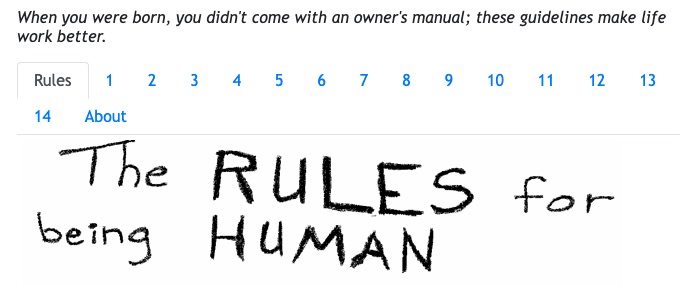
Rules4Humans.com is the Rules for Being Human with a set of pictures on a website.
GreenTransport @ YouTube publishes videos about electric vehicles and clean energy technology.
TechSparx @ YouTube publishes videos about technology.